How to Write Praise on Beam
updated 48 minutes ago
In this article:
Recognising the achievements and contributions of your colleagues is a key aspect of building a positive workplace culture. Beam makes it easy to publicly acknowledge and praise team members for their hard work and dedication. Follow this guide to learn how to write and send praise on Beam.
Step-by-Step Guide to Writing Praise
Step 1: Initiating Praise
Access the Feedback Page: Click the "Create" button.
Select 'Write Praise': Choose the "Write Praise" option to start the process.
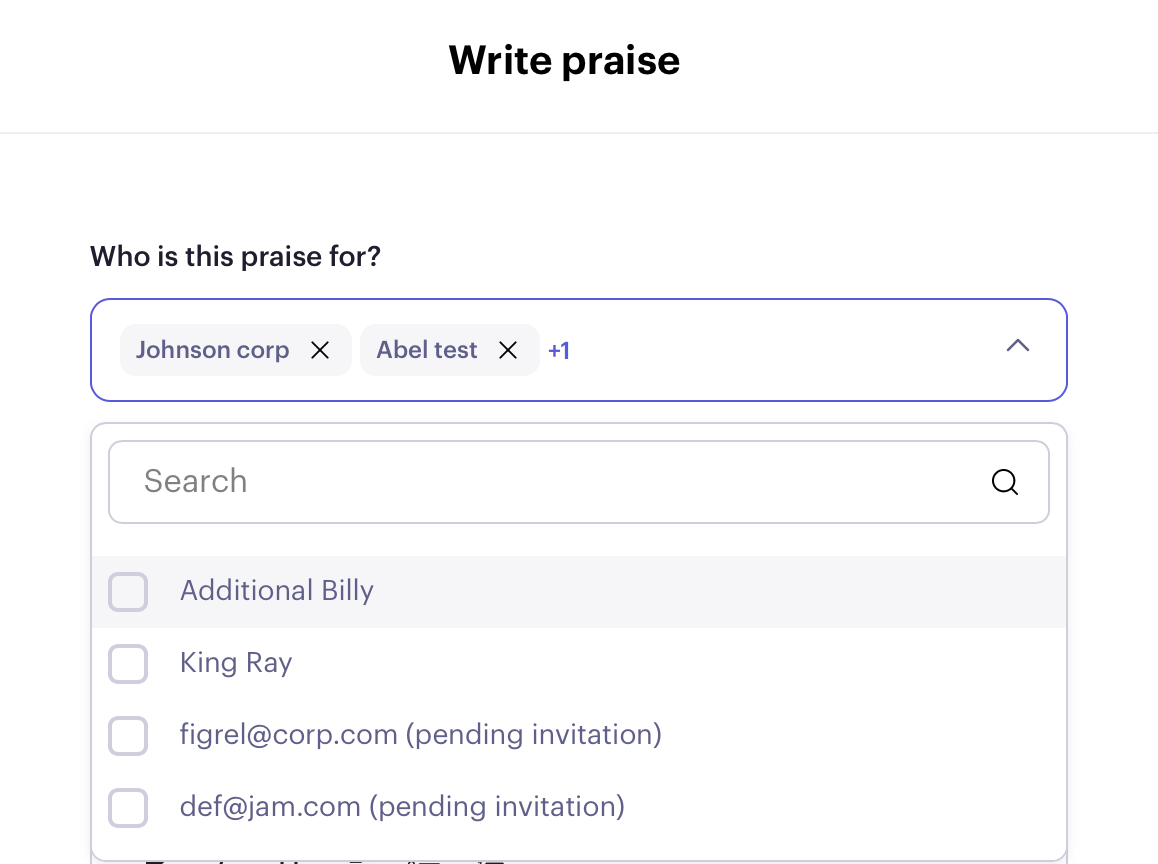
Step 2: Selecting the Recipient(s)
Choose the Recipient(s): You can select a single or multiple members to whom you can direct your praise.
Step 3: Specifying the Praise Context
Determine the Context: Decide whether your praise is related to a specific goal or a custom topic. This helps in providing context to the praise you are giving.
Select a Goal: If applicable, choose the relevant goal from the list provided.
Custom Topic: You can write out the custom topic for more general praise or topics not listed as goals.
Step 4: Writing and Tagging the Praise
Compose Your Praise: Write your message of praise, highlighting the achievements or qualities you wish to acknowledge.
Tag Company Values (Optional): If desired, you can also tag relevant company values in your praise.
Step 5: Sending the Praise
Submit Your Praise: Once you are satisfied with your message, click "Send Praise."
Note hat praise is public by default and will be visible to everyone in the workspace.
Was this article helpful?
