How to Write Feedback in Beam
updated 4 weeks ago
In this article:
Writing feedback is crucial to fostering a positive and productive work environment. This guide will walk you through writing feedback in Beam, whether for a specific goal or a custom topic.
Step-by-Step Guide to Writing Feedback
Step 1: Initiating Feedback
Access the Feedback Tool: Click the "Create" button on your dashboard.
Select Feedback Type: From the dropdown menu, choose "Write Feedback" to open the feedback modal.
Step 2: Selecting the Recipient
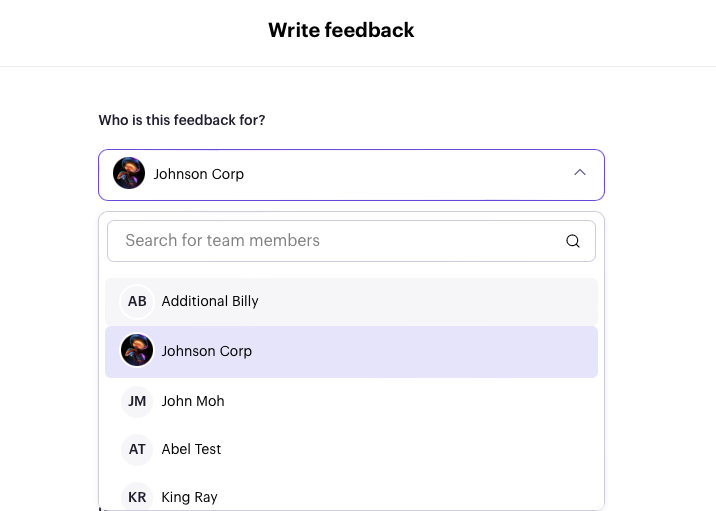
Choose a Team Member: Click on the team member to whom you wish to write feedback.
Step 3: Specifying the Feedback Context
Determine the Context: Decide what the feedback is about. Is it related to a specific goal, or is it a response to a custom topic

Step 4: Writing the Feedback
Enter Your Feedback: Write your feedback in the designated feedback box. Be clear and constructive with your comments to provide valuable insights or encouragement.
Step 5: Adding values (Optional)
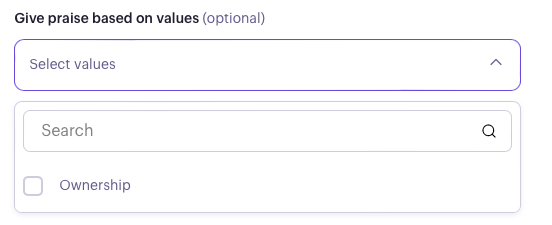
Incorporate values in feedback: Click the dropdown to select relevant company values that align with the feedback.
Step 7: Sending the Feedback
Submit Your Feedback: Once you are satisfied with the content and settings of your feedback, click "Send Feedback" to deliver your message to the selected recipient.
Was this article helpful?
