Updates Overview
updated 4 weeks ago
In this article:
Submitting updates or check-ins regularly is a helpful practice for team members to keep their managers informed about their progress and activities. Depending on how the admin configures your workspace, you may be asked to submit weekly, bi-weekly, or monthly updates.
For Admins
Understanding Updates
Welcome to the guide on how to use the Update page within the Engagement section of Beam. This page is designed to streamline the process of submitting and managing updates to your manager and reviewing past submissions.
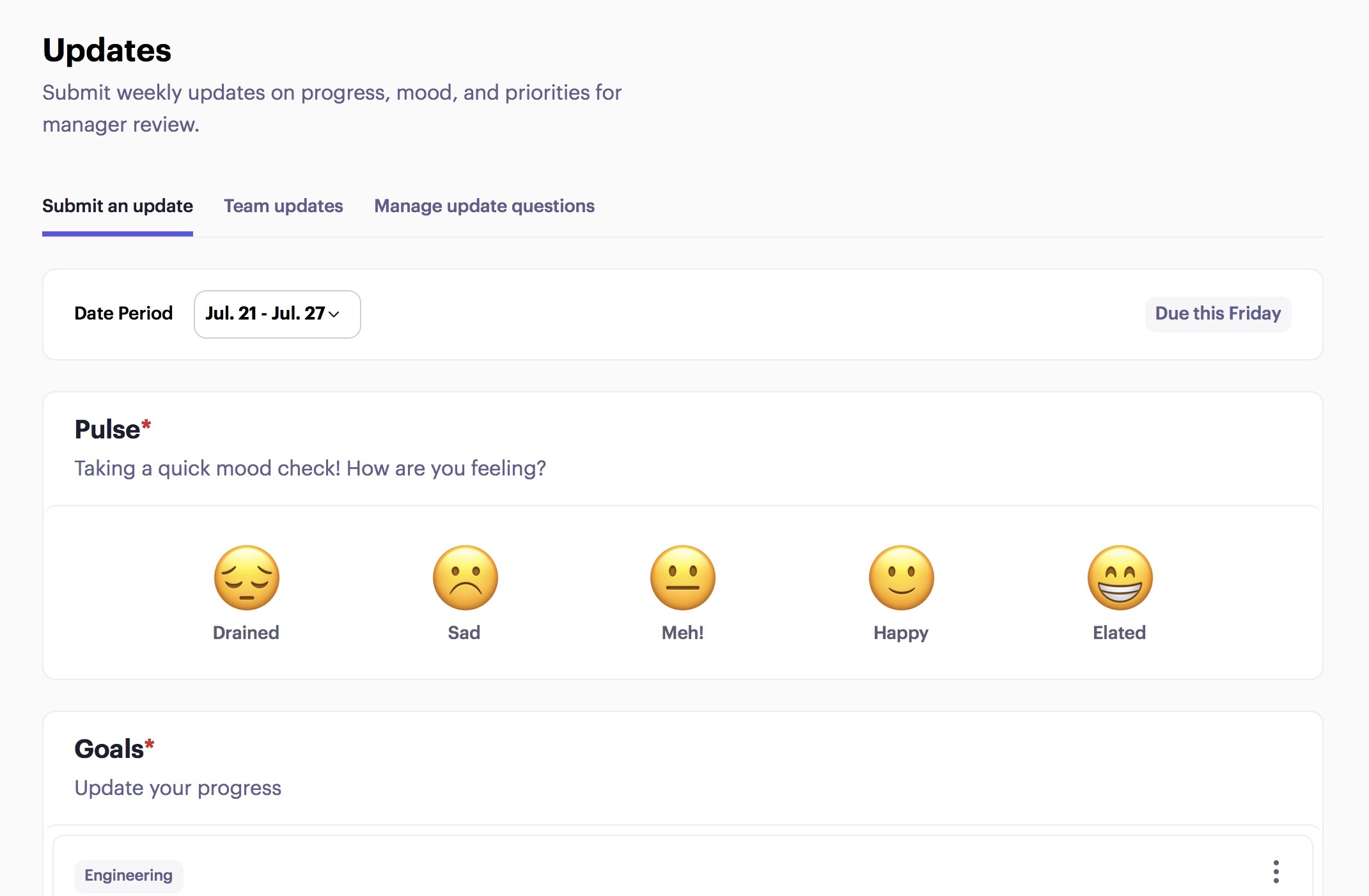
1. Submit an Update
On the left side of the Update page, you can "Submit an Update." This is where you can send weekly updates directly to your manager. The interface also displays your manager's name.
Viewing Past Updates
To view updates from past weeks, use the calendar dropdown to navigate to the desired week or month.
Update Sections
The update section includes several key components:
Pulse: This Includes general sentiments or team morale.
Goals: Updates on your current objectives.
Action Items: Tasks assigned to you or that you need to address.
Questions: Any inquiries or points of discussion for your manager
2. Team Updates
Managers can view updates submitted by their team members every week. These updates are organized monthly, making it easy to track progress over time.
3. Manage Update Questions
Update questions are queries that managers or workspace admins can add to the employee update process. These questions are designed to collect specific information or feedback from team members during regular update submissions.
Was this article helpful?
